Security model
Whoever can use the web UI can launch runs that spend your model keys, read the logs and reference patches of SSEBench containers, stop and remove them, and open a shell inside them. Treat access to the web UI like access to those containers and to the .env of the checkout it runs from.
The server enforces the rules below. With its defaults, only a process on the same machine can reach it, and only through a loopback address.
| Rule | Default | Setting |
|---|---|---|
| Listens only on the loopback interface | 127.0.0.1 | SSEBENCH_WEBUI_HOST |
| Without a token, refuses requests for any host name that is not loopback | on | SSEBENCH_WEBUI_TOKEN |
| Requires a token on any other address | the server does not start without one | SSEBENCH_WEBUI_TOKEN |
| Refuses requests and WebSocket handshakes from other origins | on | SSEBENCH_WEBUI_CORS_ORIGINS |
| Allows a shell in a container | on | SSEBENCH_WEBUI_TERMINAL |
| Only shows runs; no launch, stop, remove, shell or assistant | off | SSEBENCH_WEBUI_HOSTED |
The variables are listed in Environment variables. webui/README.md in the repository has the same reference next to the code.
What the server can do
The server runs as the user that started it, and:
- starts
ssebench run(uv run ssebenchunlessSSEBENCH_CLIsays otherwise) for a launch, with the environment of the server. The run uses the proxy and provider keys of the checkout. A model, agent or local task that the server does not list is refused, and every value is passed as an argument, never through a shell; - runs
ssebench runsfor a run's listing, logs, stop, remove, address and shell. The backend behind it acts only on runs with the labelssebench.webui, and the server passes only run IDs (1 to 64 letters, digits,.,_and-, starting with a letter or digit), so a request cannot name anything but a run or inject a command. The server itself never runsdocker; - talks to the daemon in a container at the address the backend gives, to read the dialog, the diff, the grade and the reference patch;
- reads the run directories under
results/, for finished runs. It reads plain files only, and does not follow a link, since the agent can write toarchive/.
The label is the limit of what the server acts on. Every run with it is visible and can be stopped, whoever started it.
Address
The API server and the Vite development servers listen on 127.0.0.1 unless SSEBENCH_WEBUI_HOST names another address. The variable is not called HOST, because zsh sets HOST to the machine's name, and that would have exposed the server on the network without anyone asking.
To use the web UI from another machine, forward its port over SSH:
ssh -L 3001:127.0.0.1:3001 user@serverThe loopback address keeps other machines out, but not other users of the same machine, who can call the API as well. On a shared host, set a token too. The token works on a loopback address as well as on any other.
Token
To listen on an address other than loopback, set a token of at least 16 characters, without spaces. From webui/, after bun run build:
SSEBENCH_WEBUI_HOST=0.0.0.0 SSEBENCH_WEBUI_TOKEN="$(openssl rand -hex 32)" bun run startThe server refuses to start on such an address without a token, and refuses a token that is too short:
[Server] Refusing to listen on 0.0.0.0 without SSEBENCH_WEBUI_TOKEN. Set a token, or keep SSEBENCH_WEBUI_HOST on a loopback address (default 127.0.0.1).With a token, every /api route and WebSocket needs it. The page itself and its scripts are served without it, so an unauthenticated visitor sees only the token prompt.
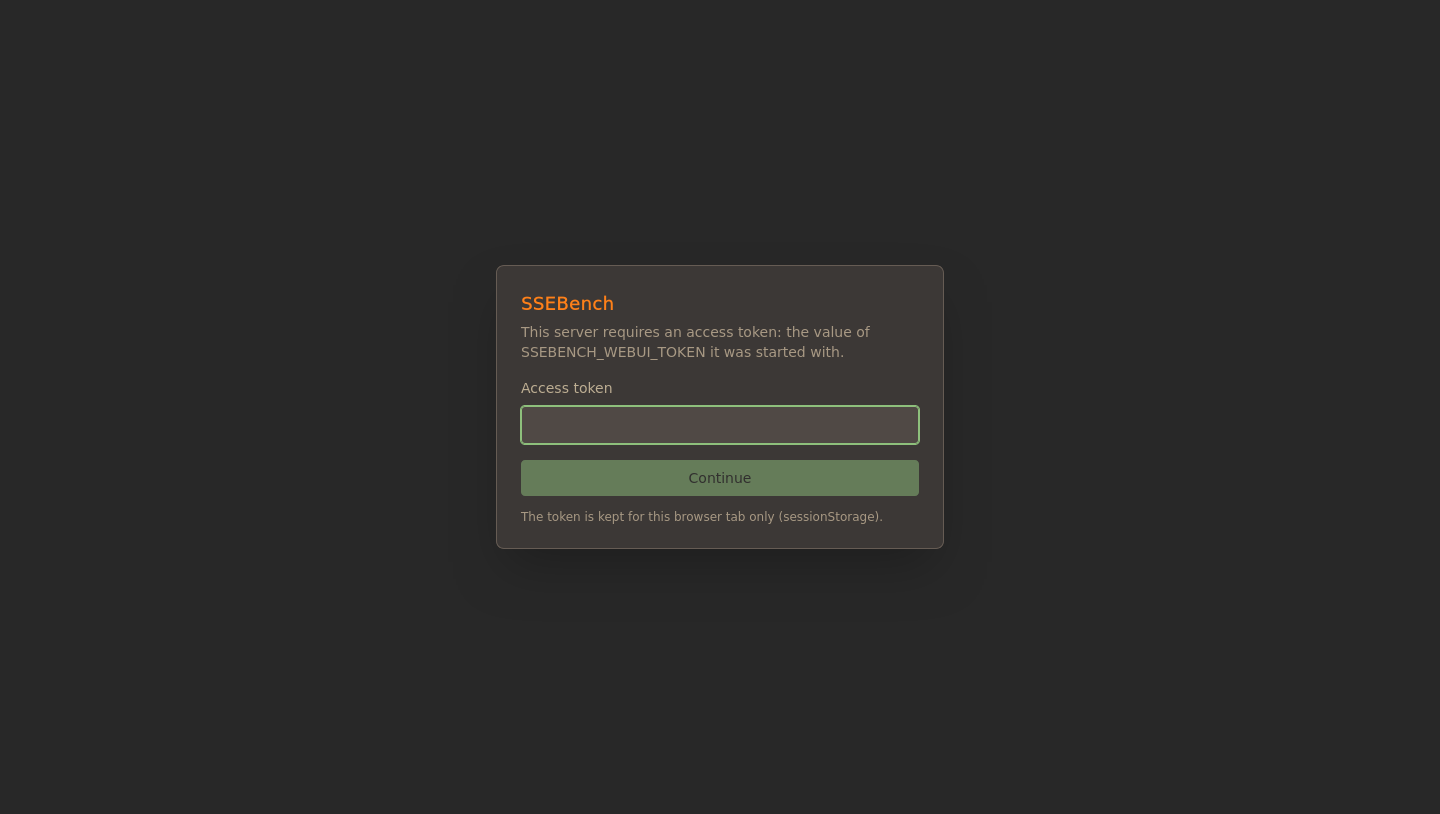
The browser asks for the token once and keeps it in sessionStorage, which lasts for that browser tab. A rejected token shows The server rejected this token., and a token that stops working, for example after a restart with a new one, brings the prompt back.
Other clients send the token as a bearer token:
curl -H "Authorization: Bearer $SSEBENCH_WEBUI_TOKEN" http://127.0.0.1:3001/api/healthBrowsers cannot set headers on a WebSocket, so the web UI offers the token as a second subprotocol, ssebench.token.<base64url(token)>, next to ssebench. The server selects ssebench and never echoes the token. A reverse proxy has to pass the Upgrade and Sec-WebSocket-Protocol headers through.
The token travels in clear text over plain HTTP. On a network you do not trust, put a TLS-terminating proxy in front of the server, or use an SSH tunnel.
Origins
The API answers only its own origin. A request or WebSocket handshake with an Origin header that is not the server's own host gets 403 Origin not allowed, so a web page in another tab cannot drive the API or open a terminal, with or without a token.
SSEBENCH_WEBUI_CORS_ORIGINS lists the other origins that may call the API, comma-separated, each as scheme://host[:port] without a path or wildcard:
SSEBENCH_WEBUI_CORS_ORIGINS=https://bench.example.orgA value that is not an origin stops the server at start. Two cases need the setting:
- The page is served from a different origin than the API.
- A reverse proxy rewrites the
Hostheader. The server compares the browser'sOriginwith theHostit receives, so it refuses the page unless the proxy passes the originalHoston or the public origin is listed.
Host names
Without a token, the server also refuses any request whose Host header is not a loopback name (localhost, 127.0.0.0/8, ::1) with 403 Host not allowed. Without this, a page on attacker.example could point that name at 127.0.0.1 and reach the API as its own origin (DNS rebinding). Reaching a token-less server under another name, for instance through a name in /etc/hosts, therefore fails; set a token to allow it.
Terminal
The terminal WebSocket, /api/pty/<run>, opens a shell in the run container with ssebench runs exec --tty, which the Docker backend turns into docker exec -it, as the image's default user, which is root. /api/pty-debug/<run> runs the OpenCode terminal interface in the same way. A backend that cannot run commands in a run has no terminal. A shell in the container of a run in progress is outside the agent's restrictions: it can read the task's hidden files under /ssebench. Open terminals only in runs whose agent phase is over.
SSEBENCH_WEBUI_TERMINAL=0 makes the server answer both routes with 403 Terminal is disabled on this server and hides the terminal tabs. /api/health reports the setting as terminal. The switch takes 0, 1 and the words true, false, yes, no, on and off, and any other value stops the server.
The switch controls only the terminal. The assistant below is a second way to run commands, which hosted mode turns off too.
Provider API key and the assistant
The AI tab runs OpenCode in the container, and OpenCode can run shell commands there. The web UI passes OpenCode's permission requests on as a prompt with Allow, Deny and Always allow, the last for the rest of the session, but it sets no permission rules of its own. OpenCode decides what it asks about, so treat the assistant as able to run commands without asking. This does not depend on SSEBENCH_WEBUI_TERMINAL; only hosted mode turns the assistant off. Anyone who can use the API can start a session, with the key from Settings or with one of their own, and can approve what it asks.
For a run that has a model, the assistant does not use your key. It uses the run's model through the LiteLLM proxy, with a key that the web UI server makes for it with the proxy's master key from .env (or the environment) and a budget of 5 dollars. The server starts a second OpenCode server in the container, on port 4098, and hands it that key in its environment. Anyone with a shell in the container can read the key; it is limited to the run's model and that budget, and it is separate from the run's own key, so its spending is not part of the run's recorded spend. Without a model in the container, or without the master key, the assistant falls back to your key:
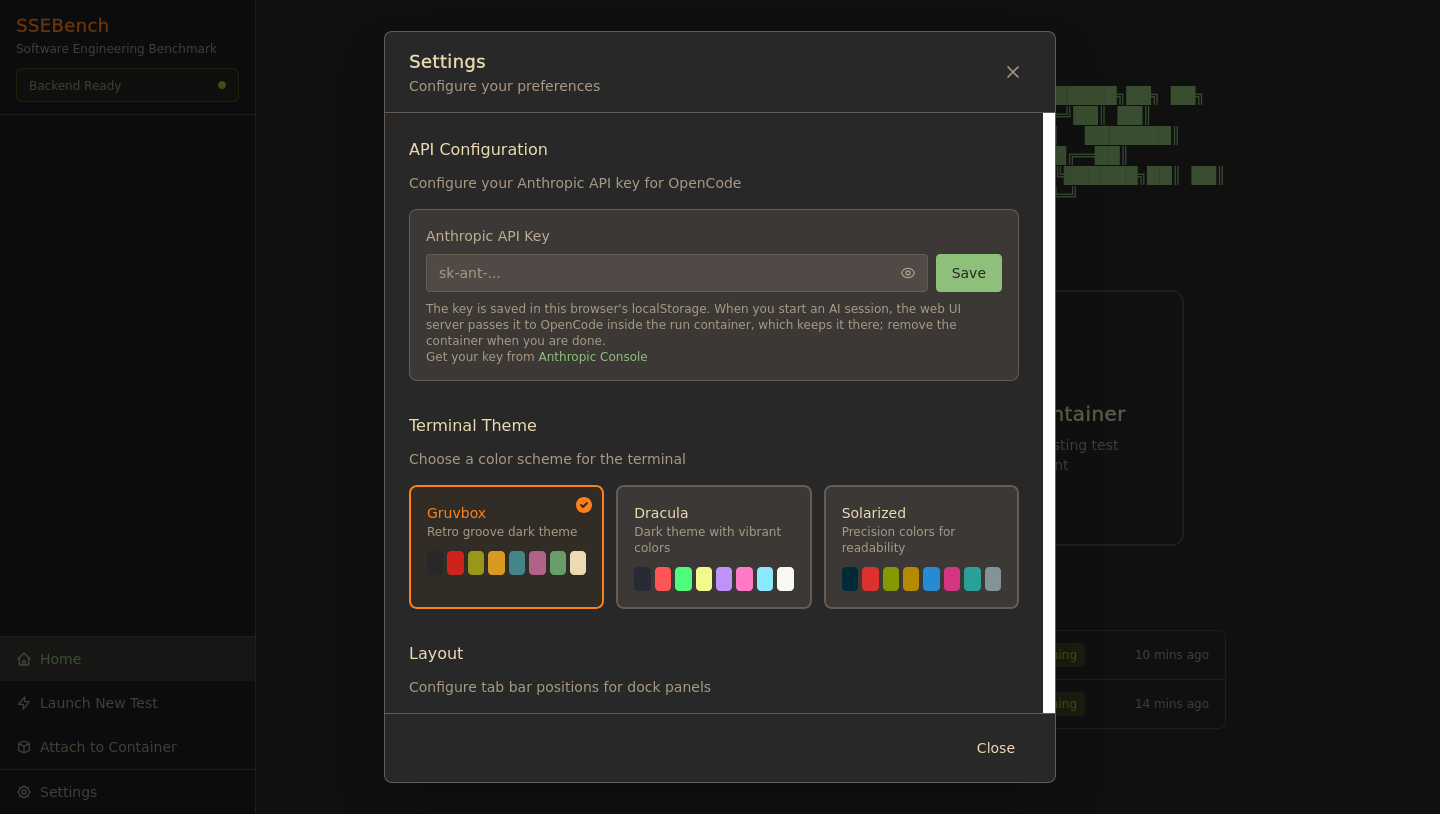
The key is an Anthropic API key, entered under Settings:
- The browser stores it unencrypted in
localStorage, underssebench-settings. Any script that runs on the web UI's origin can read it. - When an assistant session starts, the browser sends it to the web UI server, which sets it in the OpenCode server inside the container. OpenCode writes it to
~/.local/share/opencode/auth.jsonof the container's user, readable only by that user, and keeps it after the session ends. Anyone with a shell in that container can read it. - It is your key, not a key of the LiteLLM proxy. OpenCode calls Anthropic directly from the container, so this assistant works only where the container can reach the internet, that is, on a run started with
--egress open. The prompts for comparing an agent's fix with the reference patch put that patch in the request, whichever model answers.
Use a key you can revoke and that has a spending limit. Clear the field in Settings when you are done, and remove the containers you used the assistant in. The runs themselves never see this key.
Hosted mode
SSEBENCH_WEBUI_HOSTED=1 is for a server that shows runs to people who must not be able to change or run anything: a showcase, or a shared viewer of results. It forces the views read-only:
Refused with 403 | Why |
|---|---|
Every request that is not GET, HEAD or OPTIONS: launch, cancel, clear, stop, remove, and starting or answering an assistant session | It would change a run or start one |
The terminal, /api/pty/<run> and /api/pty-debug/<run> | It runs commands in a container |
The assistant, every /api/containers/<run>/opencode/* route and its event stream | It runs commands in a container, and the server would start an OpenCode server there |
/api/launch/doctor | It reports on the host's Docker, .env and provider keys |
The server also never starts the assistant's OpenCode server in hosted mode, and /api/health reports hosted: true, terminal: false and assistant: false, which the UI uses to hide the launch wizard and the tabs. SSEBENCH_WEBUI_TERMINAL=1 does not override it, and a value of SSEBENCH_WEBUI_HOSTED that cannot be read stops the server.
The runs stay readable, with their dialogs, diffs, logs, grades and reference patches. The reference patch is the task's answer: a hosted server shows it to everyone who can reach it. Combine hosted mode with a token when the audience is limited, and note that it does not limit the Docker access of the server process: the process can still stop and remove containers through the CLI, only requests are refused.
The container image
The container image needs the Docker socket and the host network. Access to the socket is root access to the host. The server still listens on 127.0.0.1, which on the host network is the host's loopback, and the token and origin rules apply as outside a container. Run the image only on a machine you control.
On Kubernetes, the Helm chart runs the image with a service account bound to the role that the Kubernetes backend needs, and not with the Docker socket. The server listens on all addresses of its pod, so the chart gives it a token, and it starts in hosted mode: read-only, with no terminal and no assistant. With webui.hosted=false the token holder launches runs that spend the proxy's provider keys, and the service account can run commands in every pod of the runs' namespace. See Security notes for the chart.
Exposing the web UI
If you must serve the web UI to other machines, in order of preference:
- Keep it on loopback and use an SSH tunnel.
- Set
SSEBENCH_WEBUI_TOKEN, put a TLS-terminating reverse proxy in front, list the public origin inSSEBENCH_WEBUI_CORS_ORIGINSif the proxy changesHost, and firewall the server's own port. - Set
SSEBENCH_WEBUI_HOSTED=1to make the server read-only. This closes the terminal and the assistant, and refuses launching, stopping and removing.SSEBENCH_WEBUI_TERMINAL=0alone closes the terminal only; the assistant remains a way to run commands, so it is no substitute for the first two.
These settings limit who can use the web UI. They do not limit what a run container can do to the Docker host; Integrity and egress covers that.
Reporting a problem
To report a security problem in the web UI or anywhere else, follow SECURITY.md.